Why I'm Choosing libGDX for a Code First 2D Pixel Art Game
As I start building a 2D pixel art game, I care less about dragging nodes around in an editor and more about writing code. I want tight control over my game loop, rendering, input handling, and architecture. I also want to lean into my existing Java experience instead of learning an entirely new language or editor workflow.
That is why I’m choosing libGDX.
If you are not familiar with it, libGDX is a cross platform Java game development framework. You can learn more at libgdx.com and explore the source at GitHub.
Code First vs Editor First
Engines like Unity and Godot are powerful. For many developers they are the right choice. But they are fundamentally editor first tools.
With Godot, you spend a lot of time in the scene editor. You compose nodes visually, attach scripts, configure properties in inspectors, and rely heavily on the engine’s runtime model. It is productive, but it also nudges you toward a specific way of thinking about games.
Unity follows a similar pattern. Scenes, GameObjects, components, inspectors. You write code, but the editor is the center of gravity.
With MonoGame, you are closer to code first, but that means committing to C# and the .NET ecosystem.
With libGDX, the center of gravity is just code.
There is no heavy editor. No required scene graph designer. No proprietary asset pipeline you must adopt. You open your IDE and start building.
That appeals to me.
Leveraging Existing Java Experience
I’ve been using Java professionally for over 20 years. That matters.
Choosing libGDX means:
- No new language
- No new build system beyond Gradle
- No mental context switch into C# or GDScript
- Full use of the Java ecosystem
My architecture can look like any other Java application. Packages. Services. Domain models. Separation of concerns. I can test pure logic without booting an engine editor.
That comfort translates into speed.
What Code First Actually Looks Like
I just started learning libGDX and here is my first attempt at a Player class:
public class Player extends Actor {

    private final Texture texture;
    private final float SPEED = 100f;
    private final Rectangle bounds = new Rectangle();
    private final Rectangle otherBounds = new Rectangle();

    public Player(float x, float y, float size) {
        Pixmap pixmap = new Pixmap(1, 1, Pixmap.Format.RGBA8888);
        pixmap.setColor(Color.BLUE);
        pixmap.fill();
        texture = new Texture(pixmap);
        pixmap.dispose();

        setBounds(x, y, size, size);
    }

    @Override
    public void act(float delta) {
        super.act(delta);

        float dx = 0;
        float dy = 0;

        if (Gdx.input.isKeyPressed(Input.Keys.W)) {
            dy += SPEED * delta;
        }
        if (Gdx.input.isKeyPressed(Input.Keys.S)) {
            dy -= SPEED * delta;
        }
        if (Gdx.input.isKeyPressed(Input.Keys.A)) {
            dx -= SPEED * delta;
        }
        if (Gdx.input.isKeyPressed(Input.Keys.D)) {
            dx = SPEED * delta;
        }

        moveBy(dx, 0);
        if (collidesWithOthers()) {
            moveBy(-dx, 0);
        }
        moveBy(0, dy);
        if (collidesWithOthers()) {
            moveBy(0, -dy);
        }

        Camera camera = getStage().getCamera();
        float targetX = getX() + getWidth() / 2;
        float targetY = getY() + getHeight() / 2;
        float lerp = 3f * delta;

        camera.position.x += (targetX - camera.position.x) * lerp;
        camera.position.y += (targetY - camera.position.y) * lerp;
        camera.update();
    }

    private boolean collidesWithOthers() {
        Stage stage = getStage();
        if (stage == null) {
            return false;
        }

        bounds.set(getX(), getY(), getWidth(), getHeight());

        for (Actor actor : stage.getActors()) {
            if (actor == this) continue;
            otherBounds.set(actor.getX(), actor.getY(), actor.getWidth(), actor.getHeight());
            if (bounds.overlaps(otherBounds)) {
                return true;
            }
        }

        return false;
    }

    @Override
    public void draw(Batch batch, float parentAlpha) {
        batch.draw(texture, getX(), getY(), getWidth(), getHeight());
    }

    public void dispose() {
        texture.dispose();
    }
}
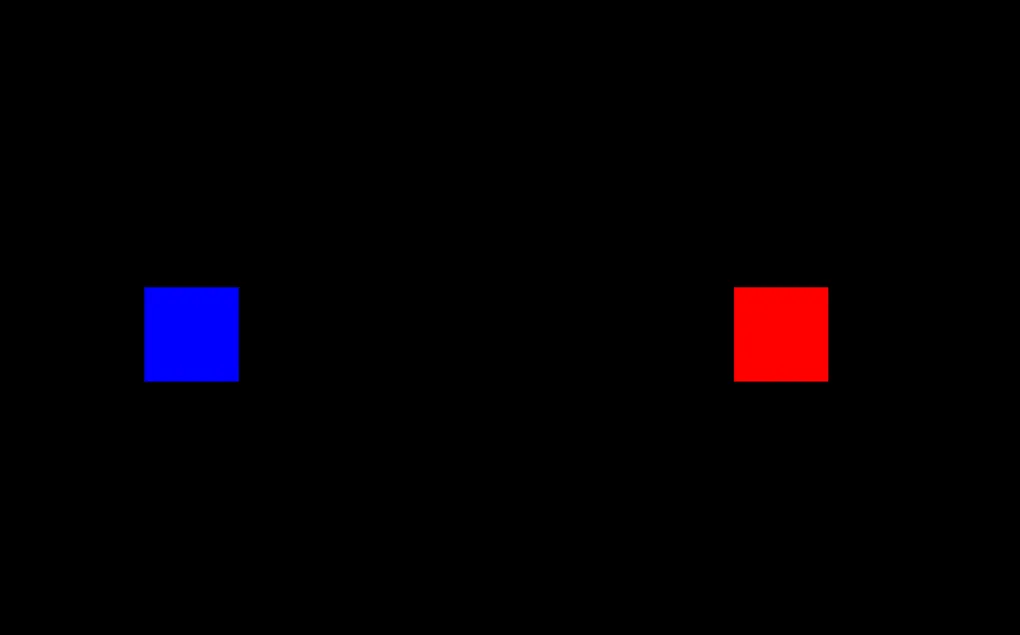
It’s just a blue cube right now. I also added a red cube that represents an “Enemy” to try out collisions.
There is no scene editor involved. No visual scripting. Movement, collision, and camera smoothing are all expressed directly in Java.
Input is polled through Gdx.input. Movement is applied with moveBy. Collision is just rectangle overlap checks. The camera is manually lerped toward the player’s center.
This is what I mean by code first. The behavior is explicit. I can refactor it, extract services, optimize the collision checks, or swap the rendering approach without fighting an editor.
Control Without Fighting the Engine
libGDX gives me primitives:
- Rendering via SpriteBatch
- Math utilities
- Input handling
- Scene2D if I want it
- Cross platform deployment to desktop, Android, iOS, and HTML
But it does not force a particular gameplay architecture.
If I want an entity component system, I can add one. If I want a simple object oriented hierarchy, I can keep it. If I want to separate pure simulation from rendering, I can do that cleanly.
With editor driven engines, it is easy to drift into tightly coupled scene logic. With libGDX, coupling only happens if I create it.
Simplicity for a 2D Pixel Art Game
For a top down 2D pixel art game, I do not need:
- High end 3D rendering
- Complex lighting editors
- Animation state machines baked into an editor
I need:
- Tight control of the game loop
- Deterministic movement and collisions
- Simple camera control
- Clean asset loading
libGDX excels at this level. It is lightweight, mature, and battle tested.
Long Term Ownership
There is also a philosophical reason.
Using libGDX means my game is just Java code plus a framework. If the framework stopped tomorrow, I would still have readable, portable code. There is no proprietary project file format holding my work hostage.
For someone who enjoys building systems as much as building games, that matters.
Final Thoughts
Godot and Unity are excellent tools. MonoGame is a strong choice for C# developers; not to mention this is what Stardew Valley is built on. But for a Java developer who prefers a code first workflow, libGDX sits in a sweet spot.
It gives me structure without taking control away. It keeps me in my language of choice. It lets me treat my game like a software project instead of a scene graph puzzle.
And for this kind of 2D pixel art project, that is exactly what I want.